The private office suite for small business.
Word processing, spreadsheets, presentations, PDF and Markdown, with an AI assistant and voice control that run entirely on your computer. Free and open-source, made for Linux.
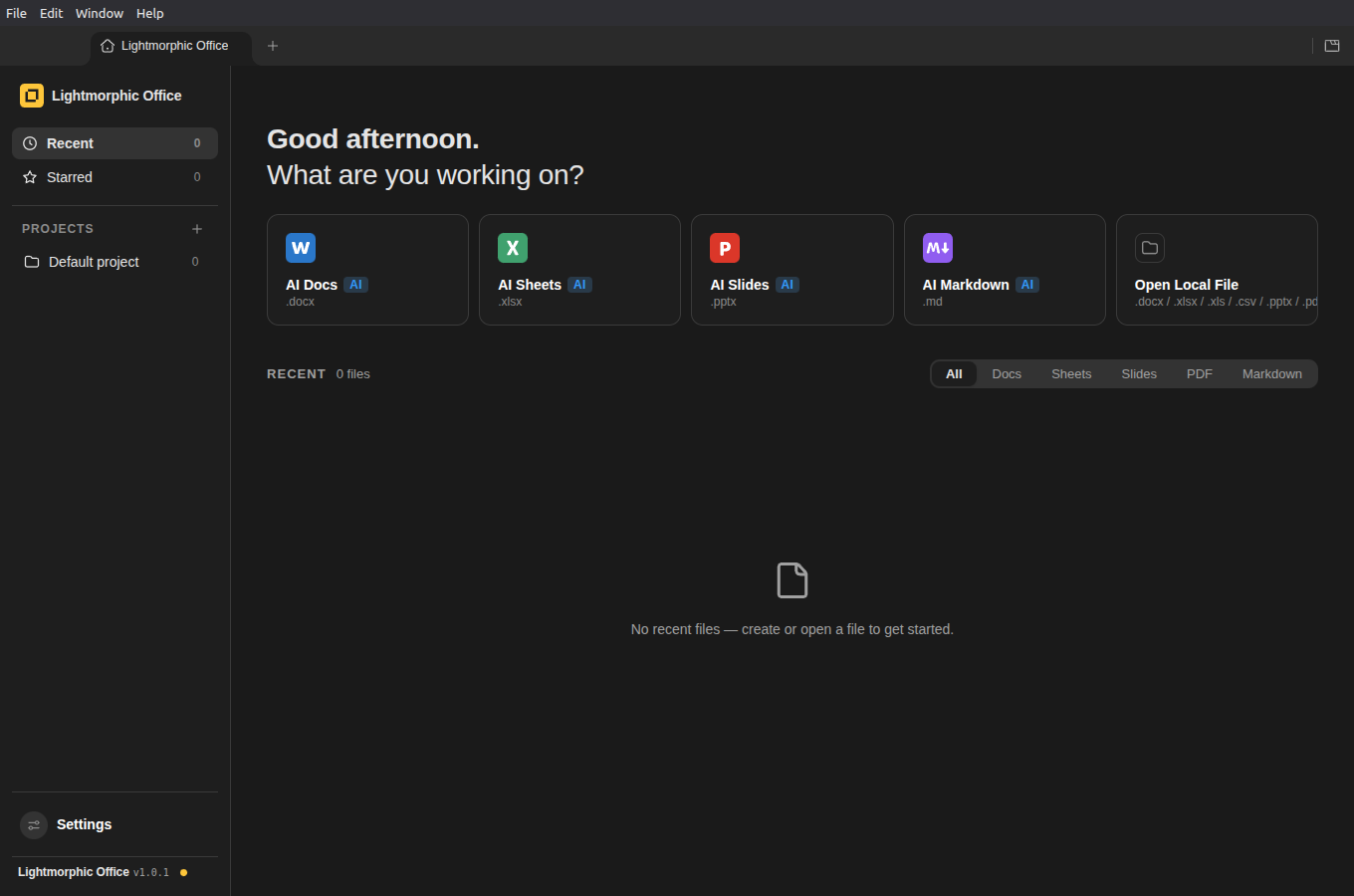
Everything a small business writes, in one app
Opens real Microsoft files and gives them back unmangled
Quotes, invoices and contracts arrive as .docx and .xlsx. Lightmorphic Office edits them byte-preservingly: only what you touched changes, so Word and Excel users never see broken layouts. You get Word-faithful pagination, Excel-compatible formulas, pivot tables and PowerPoint masters, plus true PDF editing with original fonts preserved.
AI that edits your documents
"Draft a follow-up for this quote." "Tidy this spreadsheet." The built-in assistant makes block-level edits with snapshots and diffs, powered by an open model running on your own machine through Ollama. No API key, no per-word fees.
Control it by voice
Click the mic and say "make the word Charlie bold". Speech is turned into text on your own machine by a bundled Whisper model. Your voice never leaves the room.
Five editors, one app
Docs, Sheets, Slides, PDF and Markdown share one tabbed shell with light, dark and system themes.
Your files stay files
Documents save to a folder you choose, the Desktop by default. Point it at a Nextcloud, Seafile or Syncthing folder and you have private sync and backup with zero lock-in.
Private by default, not by promise
- Local-only mode ships switched on. Cloud AI endpoints are blocked at the network layer until you deliberately opt in.
- The AI lives on your machine. Documents, prompts and voice audio are processed locally. Nothing is uploaded, logged or used for training.
- The voice model is bundled. Speech recognition works offline out of the box, and the editors' security policy allows no remote origins at all.
- No account, no telemetry, no tracking. This website sets no cookies and loads nothing from third parties either.
Honest footnote: on first launch the app downloads its open-source writing model
(Qwen3 4B, about 2.6 GB) once from the Ollama
registry. That is the only network request it will ever make, and everything works
offline from then on. Prefer zero requests? Run
ollama pull qwen3:4b yourself and the app never calls out.
Sized for small business
The paperwork you actually do
Invoices, quotes, letters, price lists, rotas, simple bookkeeping. Fast to open, fast to print, easy to export as PDF and email.
No IT department required
One AppImage, no admin console, no user licences to count. Runs happily on modest hardware.
GDPR without the headache
Client data stays on your premises because it physically never leaves. There is no processor agreement to sign with us. We never see your data.
Questions people ask
Is Lightmorphic Office free?
Yes. Lightmorphic Office is free and open source under the GPL-3.0-or-later licence. There is no subscription, no account and no paid tier.
Does it open Microsoft Word, Excel and PowerPoint files?
Yes. It opens and saves .docx, .xlsx and .pptx byte-preservingly, so only what you touched changes and files go back to Word or Excel users unmangled. It also edits PDF and Markdown.
Does my data leave my computer?
No. The AI assistant and voice recognition run on your own machine, and local-only mode ships switched on, blocking cloud AI endpoints at the network layer until you deliberately opt in.
What do I need for the built-in AI?
Install Ollama once. On first launch the app downloads the open-source Qwen3 4B model (about 2.6 GB) from the Ollama registry, then everything works offline. Documents, spreadsheets, slides, PDF and Markdown all work without it.
How do updates work?
The AppImage updates itself from GitHub releases. A status light on the home screen shows your version and whether an update is waiting.
Download
Linux AppImage
One file, no installer, nothing else to set up.
First run: mark the file executable (right-click, Properties, "Allow executing" on most desktops), then open it. It keeps itself up to date from then on and shows its update status on the home screen.
For the built-in AI assistant, install Ollama once; the app handles the rest. Documents, spreadsheets, slides, PDF and Markdown all work without it.
From the people who made this
Websites that AI can find
Your next customer is asking an AI assistant who to call, and the assistant names specific businesses. Lightmorphic builds AI-ready websites for UK small businesses: found on Google, quotable by AI, private by design. No cookies, no tracking, no page builder bloat. £499 for the build and the first year, then £99 a year, with live chat, analytics, a blog and two monthly updates included.
"If you can describe it, we can build it."
Lightmorphic Code turns ideas into working software: bespoke tools, apps and automations for UK businesses, delivered from sign-off in as little as three working days, always to a fixed-price quote from £799. The suite on this page is built the same way, and so are six other live products, from a video studio to a private terminal.